
Communicating effectively in virtual meetings means making your audio, voice and turns easy to follow through a screen. Use a headset or external microphone, set the camera at eye level, lead with your main point, pause before you take a turn, name the next speaker, and recap decisions in writing. Video calls slow conversational timing, so clear turn signals matter more than volume.
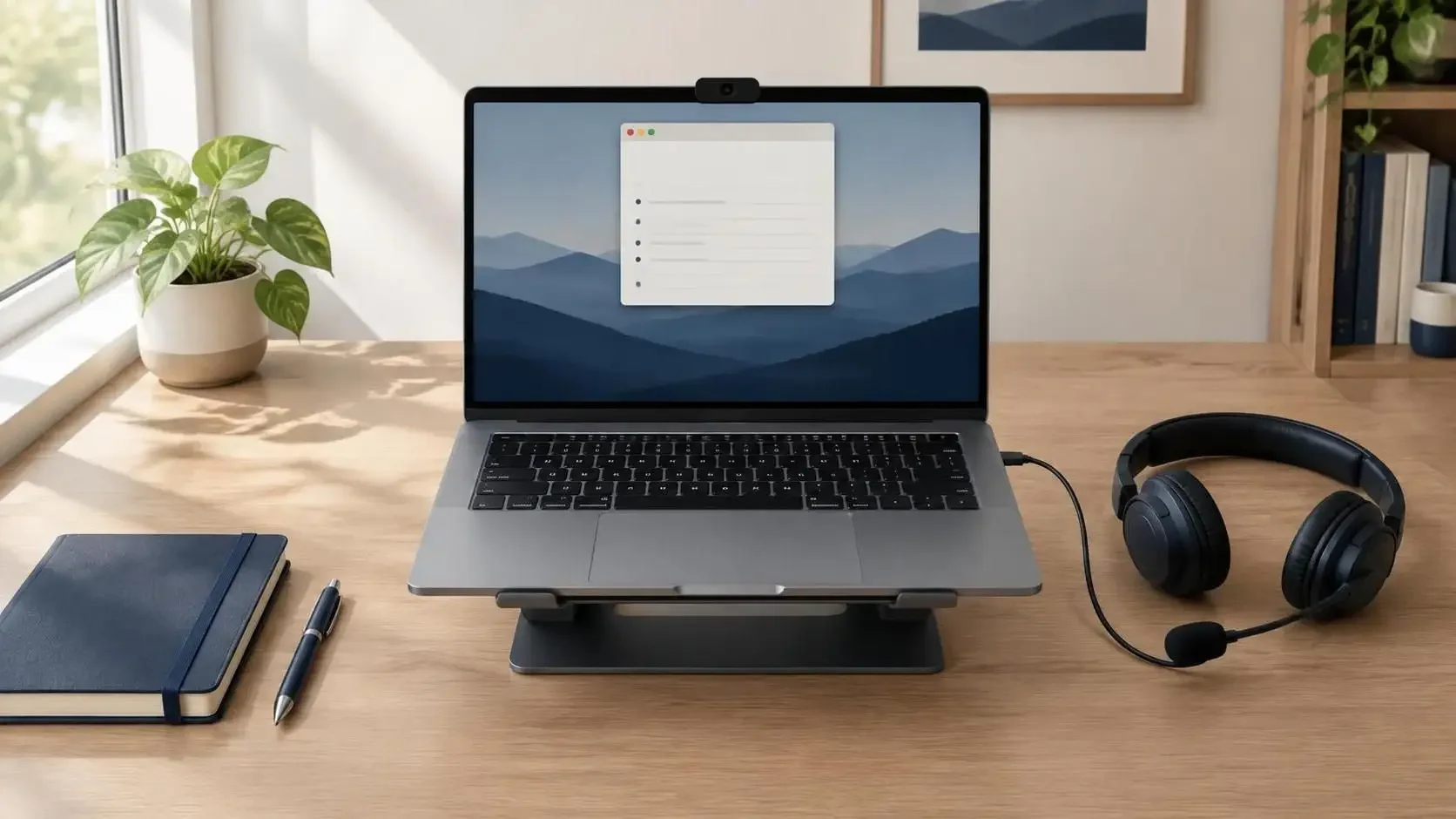
What does communicating effectively in virtual meetings involve?
Communicating effectively in virtual meetings means being easy to hear, see and follow through a screen. Virtual meeting communication covers six skills: audio setup, camera framing, voice, turn-taking, message structure and written follow-up. Each skill replaces a cue that a shared room supplies.
A virtual meeting is a meeting in which every participant joins by video or audio. A hybrid meeting puts some participants in a shared room while others join remotely. Virtual communication is a form of computer-mediated communication: speech, faces and text reach colleagues through a device.
Video calls change three things that a shared room gives for free:
Timing. Replies start later, so turns collide or stall.
View. Each face shrinks to a small window, and your own self-view sits beside the others.
Channels. A chat runs beside the speech, and attention splits between the two.
This guide covers team meetings, one-to-ones and briefings. Interview calls follow their own rules, set out in the separate guide to video job interviews.
How do you communicate effectively in virtual meetings, step by step?
To communicate effectively in virtual meetings, test your audio and camera before joining, then lead each contribution with your main point. Keep turns short, pause before you speak, name the person you want to answer, and post the decisions, owners and deadlines in writing afterward.
Steps 1 and 2 happen before the meeting, steps 3 to 6 during the meeting, and step 7 after the meeting.
1. Test your audio and camera before the meeting starts. Frisch and Greene (2020, Harvard Business Review) list "Test the technology ahead of time" as a step; a mid-meeting fix costs everyone time.
2. Write down one or two points and the first sentence you plan to say. LinkedIn's advice article puts "Prepare in advance" first. A prepared first sentence removes the hardest moment of a turn.
3. Lead with the main point, then give one reason. An answer-first turn stays short and leaves room for the next speaker.
4. Signal before you speak, with the platform's hand-raise button or a short pre-signal word. A video call gives fewer cues about who is about to talk.
5. Name the next speaker when you hand over. MindTools advises naming the person you want to hear from next.
6. Check understanding by asking one named person for a reaction. A named question gives one person a clear turn; "Any questions?" gives nobody one.
7. Recap decisions, owners and deadlines in the chat or an email before people leave. LinkedIn's advice article lists "Follow up after the meeting" as a step.
Steps 4 and 5 matter more on video than in a room, for the timing reasons explained below.
How do you sound clear and credible on video calls?
Sound clear on video calls by fixing the microphone first: use a headset or external microphone, cut background noise and mute between turns. Audio quality changes impressions. Listeners rated identical talks and interviews, and the researchers giving them, less favorably when the audio was poor.
Newman and Schwarz (2018, Science Communication) played the same conference talks and NPR Science Friday interviews in high and low audio quality. With low-quality audio, listeners judged the research and the researcher less favorably. The study tested recordings, not live meetings, so applying it to calls is an inference.
Four habits protect the signal:
Use a headset or external microphone placed close to your mouth.
Sit away from hard, echoing surfaces and noise sources.
Mute your microphone whenever you are not speaking.
Record a 30-second test and listen back before an important call.
Speaking clearly on video calls starts with the signal; pace and articulation do the rest. Frisch and Greene (2020) also advise to "Always provide an audio dial-in option," a fallback when a video connection is weak.
Vocal tone also travels differently through a microphone, and the post on tone of voice on phone and video calls covers that side.
Why do people talk louder on video calls?
Video calls raise vocal effort. In a Boston University study of 12 healthy speakers, loudness and self-rated vocal effort were higher on remote video calls than in person. A close microphone and a steady pace let you stay at conversational volume and still be heard.
Tracy, Segina, Diaz Cadiz and Stepp (2020, Journal of Speech, Language, and Hearing Research) recorded the same speakers in person and on remote audio and video calls. Vocal effort is how hard a speaker feels the voice is working. The sample was small. Croes and colleagues (2019) studied 93 pairs on a get-acquainted task and found that people in video-mediated conversation smiled more and spoke louder. Neither study tested why.
From a speech-language view, emphasis on a call comes from pace and pauses, not volume. A close microphone takes away one reason to push. Three habits keep volume conversational:
Move the microphone closer instead of raising your voice.
Slow down on the key sentence instead of getting louder.
Pause after the key sentence so the point lands.
The guide on how to protect your voice on video and phone calls covers daily voice load, and hoarseness that lasts longer than two weeks is a reason to have it checked by an ear, nose and throat doctor.
Where do you look during a video call?
Look into the camera lens when you make a key point, and place the active speaker's window below the lens. Videoconference research found viewers notice missed eye contact far less when your gaze falls below their eyes than when it drifts sideways or upward.
In 2002 lab work on video systems, Chen (CHI conference) tested how sensitive people are to missed eye contact. In his words, people are "an order of magnitude less sensitive to eye contact when people look below our eyes than when they look to the left, right, or above."
Three habits follow; they are practice, not tested:
Set the camera at eye level, so the lens sits just above the faces on screen.
Place notes in a narrow window directly under the camera, so you can read while your gaze stays close to the lens.
Look at faces while you listen, and at the lens for key lines.
Posture, facial expression and the rest of on-camera presence belong to a separate guide on nonverbal cues on video calls.
Why do people talk over each other on video calls?
Video calls slow conversational timing, which makes turn-taking harder. The same pairs of speakers took 487 milliseconds to start a turn over Zoom and 135 milliseconds face to face. The estimated audio delay was 30 to 70 milliseconds, so the slowdown is more than lag.
Turn-taking is the system speakers use to decide who talks next and when. Boland, Fonseca, Mermelstein and Williamson (2022, Journal of Experimental Psychology: General) measured it in two experiments. In the first, answers to yes/no questions started after 976 milliseconds over Zoom and 297 milliseconds locally. In the second, the same pairs averaged 487 milliseconds over Zoom and 135 milliseconds face to face. The authors suggest that transmission delay disrupts the automatic timing people use to start a turn.
The practical result is familiar, though the study did not test it: two people start at once, both stop, and someone says "No, you go." Because the same people replied more slowly on Zoom, lag likely explains a late reply; the study did not test how listeners judge one.
Four habits make turns easier to read:
Finish your sentence fully, then stop talking.
Name the next speaker, as MindTools advises.
Raise the platform's hand before you speak.
Pre-signal with a short word. Yoodli's advice: "starting with an 'actually…' gives the current speaker enough forewarning to wrap up."
The listening side of a call, from verbal acknowledgments to spoken summaries, is covered in the guide to active listening on video calls.
The sections above cover your own sound, eye line and timing. The sections below cover the group: who speaks, cameras, hybrid rooms, presenting, which meetings suit video, and fatigue.
How do you speak up in a virtual meeting without interrupting?
Speak up in a virtual meeting by signaling first and then leading with your point. Raise the platform's hand or type "I'd like to add one thing" in chat, wait to be named, then give your main point in one sentence and one reason.
Yoodli's guide names the problem: "It's a dilemma to interrupt your coworkers, much less your direct boss… It's doubly difficult to do so online." A signal eases the dilemma, because the signal asks for the turn instead of taking it.
Fatigue adds a second barrier. Shockley and colleagues (2021) found that daily fatigue related to less "voice" in virtual meetings. In their study, voice means speaking up with ideas and concerns, not the sound of the voice.
Three habits make speaking up easier:
Prepare one or two points before the meeting.
Enter with a question or a build on the last point, such as "Building on Priya's point…".
Stop after your point and hand the floor back.
Speaking up also has a confidence side that applies in any meeting, covered in the guide on speaking up in meetings without overstepping.
How do you get people to speak up in virtual meetings?
Get people to speak up in virtual meetings by calling on them by name, sharing questions in advance and taking turns in a set order. Then wait. In one experiment, answers to questions played over Zoom started after 976 milliseconds, against 297 milliseconds locally.
Frisch and Greene (2020) list "Call on people" as a step for virtual meetings. MindTools suggests round-robin turns and a hand-raise queue. Sharing the two or three main questions in the invite gives quieter colleagues time to prepare; that is practice advice, not a tested finding. Reading the chat aloud brings typed points into the spoken discussion.
Camera norms matter too, as the next section shows.
Three leader moves open the floor:
Open each discussion with a round in a set order.
Count silently to five after asking a question. The number five is coaching practice; the Zoom timing research supports waiting longer, not a specific count.
Close by naming who has not spoken yet and inviting them in.
Do cameras have to be on in virtual meetings?
Cameras do not have to be on for every virtual meeting. In a four-week field experiment with 103 employees, camera-on days brought more fatigue, more so for women and newer employees, and fatigue predicted less speaking up and engagement. Agree camera norms by meeting type.
Shockley, Gabriel, Robertson, Rosen, Chawla, Ganster and Ezerins (2021, Journal of Applied Psychology) collected 1,408 daily observations. Camera use was more fatiguing for women and for newer members of the organization. Fauville and colleagues (2023) link two camera-related mechanisms to fatigue: mirror anxiety, the strain of watching your own self-view, and hyper-gaze, the sense of many faces staring at close range.
Camera norms by meeting type, as practice rather than tested fixes:
One-to-ones and small decisions: cameras on, because faces carry reactions.
Large briefings: presenter on, audience optional.
Back-to-back days: agreed audio-only slots.
Keep the camera on for your own update where the team expects it. Check your frame once, then hide the self-view; that step responds to the mirror-anxiety finding and was not itself tested.
How do you run a hybrid meeting where remote people are heard?
Run a hybrid meeting as if everyone is remote: call on remote voices first, read the chat aloud and recap decisions in writing. In Microsoft's 2022 survey of 31,102 workers, 43% of remote and 44% of hybrid employees do not feel included in meetings.
The same Microsoft Work Trend Index report found that only 27% of organizations had set new hybrid meeting etiquette. The survey measured feelings of inclusion, not which fixes work, so the moves below are practitioner advice:
Assign a facilitator who watches the remote side and the chat, a step Frisch and Greene list as "Assign a facilitator."
Make every face visible to remote people, in line with their step "Make sure faces are visible."
Call on remote participants first in each round.
Recap decisions in writing, so remote people leave with the same record as the room.
Hybrid habits are a team decision, so our communication workshops delivered in person or remotely give a single company's team the same habits at once.
How do you present in a virtual meeting?
Present in a virtual meeting in short segments, with your notes under the camera and a question break after each segment. MindTools recommends planning virtual sessions in 10-to-15-minute segments. Share only the slide window, close other windows, and look at the lens for key lines.
Frisch and Greene (2020) add "Minimize presentation length" to their list. Reading from notes works best with the notes window placed just under the lens, as in the eye-line section above. Each question break needs a longer wait than in a room, for the timing reasons covered earlier.
A talk rehearsed in front of a real video audience gets real reactions, and our live 90-minute virtual workshops each target one specific communication skill with a live group.
Which meetings work better on video, and which in person?
Video works well for choosing between ideas; generating new ideas works better in person. In a 2022 Nature paper combining a lab experiment and a five-country field experiment, videoconferencing groups produced fewer creative ideas but showed no evidence of a disadvantage when selecting ideas.
Brucks and Levav (2022) used eye-gaze and recall measures to explain the gap: the screen holds attention on itself, which narrows cognitive focus. The authors also report preliminary evidence that video groups select ideas better.
A practical split follows: collect ideas in person or in writing first, then use the video call to decide. A shared document or whiteboard collects ideas before the call.
Why are virtual meetings so tiring?
Virtual meetings tire people through load and nonverbal effort. In a 2023 survey of 9,787 people, frequent, long meetings with few breaks were linked to more fatigue, as were mirror anxiety from self-view, feeling physically trapped and the effort of sending and reading cues.
Fauville, Luo, Queiroz, Lee, Bailenson and Hancock (2023, Computers in Human Behavior Reports) used an online convenience sample and named five nonverbal mechanisms:
Mirror anxiety: discomfort from watching your own self-view.
Hyper-gaze: the sense of many faces looking at you.
Physical entrapment: feeling stuck in the camera frame.
Cue production: effort spent sending nonverbal signals.
Cue monitoring: effort spent reading other people's signals.
Women reported more fatigue, and the paper traces the gap to women experiencing these mechanisms more. Bailenson (2021) first proposed several of these mechanisms as theory.
A small Microsoft Human Factors Lab pilot (2021, not peer-reviewed) tracked 14 people through four back-to-back half-hour video meetings. Stress-related beta-wave activity built up without breaks and did not build up with 10-minute breaks between meetings. Where the calendar allows, put a 10-minute gap between calls.
How does a speech-language pathologist help with virtual meeting communication?
A speech-language pathologist trains the parts of virtual meeting communication that tips leave vague: vocal effort, pace, pauses, turn signals and message structure. The self-check below starts from a recording of one real call, so each change targets what colleagues actually hear and see.
Ask everyone's permission before you record, then answer three questions:
Where did you push volume instead of slowing down?
How did you start your turns: with a signal, or over someone else?
Did your first sentence carry the main point?
Sydney Parriott, MA, CCC-SLP, MBA, is a licensed corporate speech-language pathologist. Her coaching follows The Resonant Communication Method™: the Delivery pillar covers voice and pace, and the Frame of Mind pillar covers the nerves a constant self-view can bring. Sessions run one-on-one as 60-minute video calls, and virtual workplace communication coaching builds each plan around specific goals, such as speaking up in meetings without rambling.
Virtual Meeting Communication FAQs
What is virtual meeting etiquette?
Virtual meeting etiquette is the set of shared habits that keep a video call easy to follow. Join on time with audio tested, mute when you are not speaking, say your name before speaking on audio-only lines, keep side questions in chat, and close email while others talk.
How do you sound confident in virtual meetings?
Sound confident in virtual meetings by preparing your first sentence before you join, stating your main point first, and finishing each sentence before you pause. A close microphone lets you speak at conversational volume instead of pushing your voice through a laptop microphone.
What is Zoom fatigue?
Zoom fatigue is tiredness after video meetings, a term from popular press coverage. Shockley and colleagues (2021) tied camera use to daily fatigue. Fauville and colleagues (2021) measure it with a 15-item scale covering five kinds: general, social, emotional, visual and motivational fatigue.
What is the difference between a virtual meeting and a hybrid meeting?
In a virtual meeting, every participant joins remotely by video or audio. In a hybrid meeting, some people share a room while others join remotely, so the meeting runs as two experiences at once. Hybrid meetings work best with a facilitator who watches the remote side.
Sources
Boland, J. E., Fonseca, P., Mermelstein, I., and Williamson, M. (2022). Zoom disrupts the rhythm of conversation. Journal of Experimental Psychology: General, 151(6), 1272–1282. doi.org/10.1037/xge0001150
Tracy, L. F., Segina, R. K., Diaz Cadiz, M., and Stepp, C. E. (2020). The Impact of Communication Modality on Voice Production. Journal of Speech, Language, and Hearing Research, 63(9), 2913–2920. doi.org/10.1044/2020_JSLHR-20-00161
Croes, E. A. J., Antheunis, M. L., Schouten, A. P., and Krahmer, E. J. (2019). Social attraction in video-mediated communication: The role of nonverbal affiliative behavior. Journal of Social and Personal Relationships, 36(4), 1210–1232. doi.org/10.1177/0265407518757382
Newman, E. J., and Schwarz, N. (2018). Good Sound, Good Research: How Audio Quality Influences Perceptions of the Research and Researcher. Science Communication, 40(2), 246–257. doi.org/10.1177/1075547018759345
Chen, M. (2002). Leveraging the asymmetric sensitivity of eye contact for videoconference. Proceedings of the SIGCHI Conference on Human Factors in Computing Systems (CHI 2002), 49–56. doi.org/10.1145/503376.503386
Shockley, K. M., Gabriel, A. S., Robertson, D., Rosen, C. C., Chawla, N., Ganster, M. L., and Ezerins, M. E. (2021). The fatiguing effects of camera use in virtual meetings: A within-person field experiment. Journal of Applied Psychology, 106(8), 1137–1155. doi.org/10.1037/apl0000948
Fauville, G., Luo, M., Queiroz, A. C. M., Lee, A., Bailenson, J. N., and Hancock, J. (2023). Video-conferencing usage dynamics and nonverbal mechanisms exacerbate Zoom Fatigue, particularly for women. Computers in Human Behavior Reports, 10, 100271. doi.org/10.1016/j.chbr.2023.100271
Fauville, G., Luo, M., Queiroz, A. C. M., Bailenson, J. N., and Hancock, J. (2021). Zoom Exhaustion & Fatigue Scale. Computers in Human Behavior Reports, 4, 100119. doi.org/10.1016/j.chbr.2021.100119
Brucks, M. S., and Levav, J. (2022). Virtual communication curbs creative idea generation. Nature, 605, 108–112. doi.org/10.1038/s41586-022-04643-y
Bailenson, J. N. (2021). Nonverbal overload: A theoretical argument for the causes of Zoom fatigue. Technology, Mind, and Behavior, 2(1). doi.org/10.1037/tmb0000030
Microsoft WorkLab (2021). Research Proves Your Brain Needs Breaks. microsoft.com/en-us/worklab/work-trend-index/brain-research
Microsoft Work Trend Index (2022). Great Expectations: Making Hybrid Work Work. microsoft.com/en-us/worklab/work-trend-index/great-expectations-making-hybrid-work-work
Frisch, B., and Greene, C. (2020). What It Takes to Run a Great Virtual Meeting. Harvard Business Review. hbr.org/2020/03/what-it-takes-to-run-a-great-virtual-meeting
MindTools. How to Run Effective Virtual Meetings. mindtools.com/ahluvzg/how-to-run-effective-virtual-meetings/
Yoodli (2022). How to Speak Better in (Virtual) Meetings: 5 Tips for Improvement. yoodli.ai/blog/how-to-speak-better-in-virtual-meetings-5-tips-for-improvement
LinkedIn Advice. What are some tips to improve your communication skills in virtual meetings? linkedin.com/advice/0/what-some-tips-improve-your-communication-skills-virtual